

Voucher lifecycle report and sales
Published: 2026-07-04 Last updated: 2026-07-28
How to record sales and payments, read payment states, export CSV, and use Live Report.
Reports now focus on the voucher lifecycle per router: how many cards were issued, how many were sold, the sales value, how much money was actually collected, and whether sales are unpaid or partially paid.
Voucher Lifecycle Report
The Report page lists sales by period:
- Day.
- Month.
- Year.
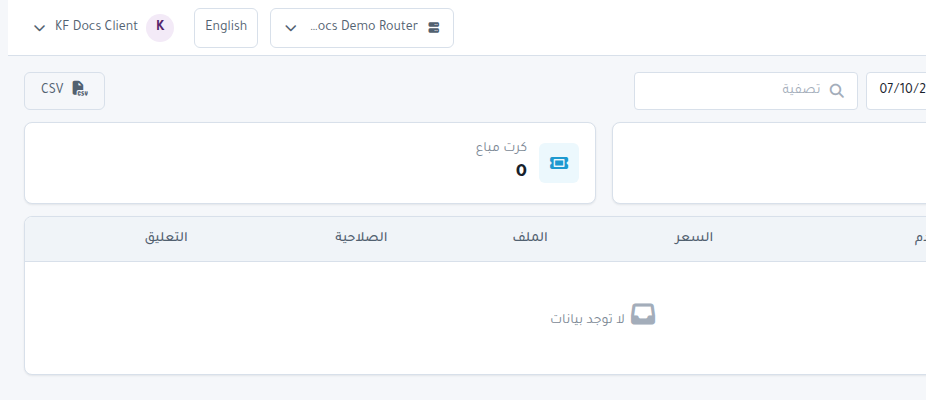
Use the date field to select the period. If the date is invalid, no report is generated and Enter a valid report date appears. Use search to find a Sale Reference such as #15 or a sale source.
Report metrics
The top metrics show:
- Cards Issued.
- Cards Sold.
- Sales Value.
- Amount Paid / Collected.
- Cards Redeemed when redemption data is available.
A — value means unavailable data, not zero.
Record Explicit Sale
Use Record Explicit Sale when selling cards from issued, unsold inventory. Choose:
- Issued Batch.
- Quantity from 1 to 1000, within available inventory.
- Unit Sale Price.
- Sold At, not in the future.
Recording a sale never records payment automatically. Currency comes from the active router.
Record Collected Payment
Use Record Collected Payment only for money actually collected against an existing sale. Enter:
- Sale Reference, without #.
- Amount Collected.
- Collected At, not in the future.
Partial payments are allowed. The system rejects payments above the outstanding sale amount.
Sales table
The table shows:
- Sale Reference.
- Sold At.
- Cards Sold.
- Unit Sale Price.
- Sales Value.
- Amount Paid / Collected.
- Payment State: Settled, Partially Paid, or Unpaid.
- Source such as Operator recorded.
CSV export
Press CSV to download the current period and search. The file includes accounting-friendly fields such as sale_reference, sales_value, amount_paid_collected, and payment_state.
Unavailable data
If Voucher lifecycle data is unavailable without an accessible router appears, select an accessible router first. If the period predates authoritative lifecycle coverage, treat values as unavailable rather than zero.
Live Report and Expire Monitor
Live Report still provides a quick operational summary and the Hotspot Expire Monitor. Expire Monitor is a router scheduler that handles expired Hotspot users every minute according to package settings.
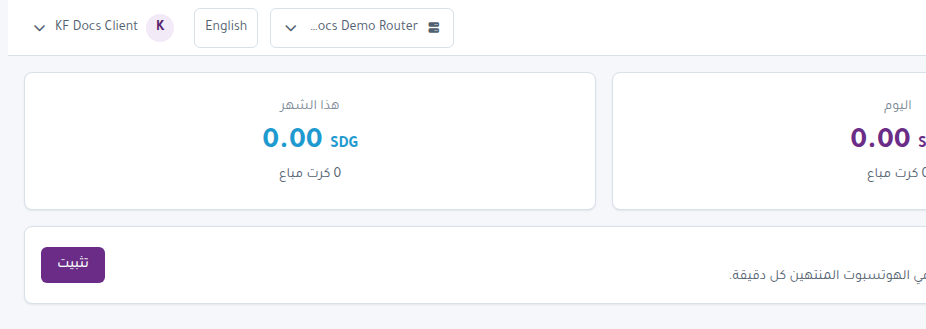
If Install or Enable appears:
- Press the button.
- Wait for success.
- Review Hotspot packages using Expire Mode.
If Expire Monitor is not enabled, some Hotspot package expiry rules may not work as expected.